The word “piping” might make you think of water pipes. This has nothing to do with those. Survey piping is something very different.
So what is it? First, a quick note on surveys. A survey is a research method used to gather data from a target group of people.
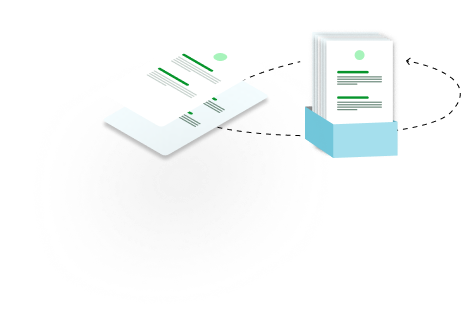
Survey piping is when a survey creator inserts a respondent’s previous answer into the next question. This makes the survey feel like a conversation instead of a static list of questions. It also adds a level of transparency.
Why does it matter? Here are the main reasons:
- It reduces confusion. Piping reminds respondents of their previous answers. This clears up confusion as they move through the survey.
- It makes the survey feel human. People pay attention when you use their own words. They feel seen and heard.
- It shortens the survey. Piping works with skip logic to remove irrelevant questions. Respondents only see what applies to them.
- It builds trust and boosts completion. Reflecting someone’s words back shows you are listening. That trust keeps them going until the end.
- It cuts down fake answers. Generic questions often lead to answers people think they should give. Questions tailored to each person’s feedback lead to honest responses.
What Survey Piping Means in Simple Terms
Survey piping means using a previous answer to shape the next question. You take a key detail from the respondent’s earlier response and build it into what comes next.
This makes the survey clear and easy to answer. Respondents tend to answer more honestly when piping is used. The survey feels like a real conversation.
How Survey Piping Improves Personalization and User Experience
People are more honest when they know they matter. That is exactly how respondents feel when piping is used well. Here is how piping improves personalization and user experience:
- Personalized questions. Each question is tailored to the respondent using their previous answers. This speeds up responses, lifts engagement, and reduces drop-off rates.
- Better response quality. Clear, relevant questions make each person feel seen. This improves answer quality and cuts down on incomplete responses that lead to invalid data.
- Smoother user experience. Short, clear, engaging surveys make people more willing to finish. The whole experience improves.
- More clarity. Referencing a user’s specific experience or action makes each question concrete. It removes vague prompts.
- No repetition. Piping uses previous responses, so you never need to ask the same thing twice.
- Shorter-feeling surveys. Only relevant questions get asked. The survey feels faster even when it is not.
- Trust and familiarity. Piping shows you remember past interactions. That builds trust with your respondents.
Common Examples of Survey Piping in Action
Piping helps survey creators collect detailed, honest responses because every question feels individually tailored. Here are some examples in action:
- Using the respondent’s name. People often enter their name at the start of a survey. You can reuse it to make the survey conversational. For example: “Hi Ann, thank you for filling out the survey.” The survey now speaks to the individual, not a crowd.
- Referencing a selected product. When a respondent picks a product, service, or plan, their choice appears in the follow-up. For example: “How satisfied are you with Product B?” This encourages detailed, thoughtful feedback.
- Following up on ratings. A rating can be piped into the next question to add context. For example: “You rated our service three stars. What issue did you run into?”
- Looping through multiple selections. When respondents pick several options, the survey can repeat a set of questions for each one. For example: “You selected Products A, B, and C. Please rate each one.” This gives you structured feedback without wasted questions.
- Carrying preferences forward. A stated preference can be reused later. For example: “You mentioned you prefer email support. How effective has our email support been?” This keeps the survey short and easy to follow.
- Summarizing responses for confirmation. Key answers can be piped into a summary at the end. For example: “You prefer 5G to 4G, right?” This catches errors and shows respondents their answers were recorded correctly.
- Customized thank-you messages. Use earlier responses to close with a personal note. For example: “Thank you, Jeff” or “Thanks for the ratings, Jeff.”
Types of Data You Can Pipe Into Questions
Not all data can be piped. Here are the types that can:
- Open-ended responses. Names, company names, or comments can be reused later to keep things conversational. For example: “Hi John. Did you enjoy the app?”
- Single-choice responses. Answers from dropdowns can appear in follow-up questions. For example: “How satisfied are you with the Pro version?”
- Multiple-choice selections. When respondents pick more than one option, each one can be piped into its own follow-up. For example: “You selected Features A, B, and C. Please rate each one.”
- Numbers and ratings. Ratings, age, or income can feed into later questions. For example: “You rated our product 2 out of 5. What do we need to improve?”
- Date and time inputs. Details like a last purchase date or session length can be piped in. For example: “You last subscribed on June 2. Why haven’t you subscribed since?”
How Survey Piping Increases Response and Completion Rates
Piping tailors every question to the person answering it. The survey becomes a conversation instead of a generic form. That drives response and completion rates up in these ways:
- Personalized surveys. People engage more when a survey is about them. They invest their time when it feels personal.
- Relevant questions. Piping ensures each new question connects to the previous answer. Nothing feels random.
- Less repetition. Repeated questions frustrate respondents. Piping keeps surveys shorter and keeps people engaged to the end.
- Conversational flow. Building each question from the last answer feels like a natural back-and-forth. That flow holds attention.
- More clarity. Referencing the previous answer gives respondents a clear sense of direction. Less confusion means fewer drop-offs.
Survey Piping vs. Skip Logic, and How They Work Together
These two features often get confused. Here is the difference.
Survey piping inserts a previous answer into the next question. Its goal is to make the survey feel personal and conversational. Skip logic removes irrelevant questions from a respondent’s path. Its goal is to keep the survey short.
Think of it this way. Skip logic asks: “Should this respondent see this question?” Piping asks: “How should this question be worded?”
Skip logic controls what respondents see. Piping controls what the question says. Skip logic shows or hides questions based on previous answers. Piping pulls those answers into the question text itself.
Skip logic usually runs on multiple choice, yes/no, or number answers. Piping makes questions specific using names, brands, numbers, or selected options.
Without skip logic, surveys get long and tiring. Without piping, questions sound generic and responses may come back incomplete. Skip logic reduces the number of questions. Piping does not reduce the count, but it makes each question easier to answer.
How do they work best together?
- Skip logic directs where respondents go. Piping shapes what they see when they get there.
- Both remove irrelevant content, just through different methods.
- Skip logic creates the path. Piping makes the journey conversational.
- Both improve data quality. When people only see relevant, personal questions, they answer honestly.
- Both reduce survey fatigue and stress for respondents.
Best Practices for Effective Survey Piping
Follow these practices to get piping right:
- Finalize your survey design first. Do not add piping until your structure, question order, and page breaks are locked in.
- Make source questions required. The question you pipe from must be answered. Mark it as required so the pipe never comes up empty.
- Pipe across pages. The source question cannot sit on the same page as the question that uses it. Keep them on separate pages.
- Test everything. Run through every possible piping path. Check that the text renders correctly on mobile too.
- Keep piped answers short. Long text from open-ended questions may not format well inside a follow-up question.
- Store piped data. Save your piped data where you can access it easily.
- Combine with skip logic. Use both together for the most relevant experience. For example, skip the follow-up loop for respondents who selected only one option.
Common Mistakes to Avoid When Using Survey Piping
- Piping outdated or incorrect data. This is one of the biggest piping errors. If the piped information no longer matches reality, respondents lose trust. Verify that every piped detail is current and correct.
- Over-personalizing. Personalization helps people feel seen. Too much of it feels intrusive. For example: “We noticed you clicked the start button a few minutes ago. Why didn’t you continue?” That can make people feel monitored instead of helped. Stick to recent, relevant actions rather than hyper-specific details.
- Overloading questions. Cramming too much information into one question frustrates respondents and causes mental strain. It is a leading cause of abandoned surveys. Keep each question focused on the data you actually need.
- Unclear context. Even correct piping fails when respondents cannot tell what the question refers to. “Why did you quit your session?” is vague. “Why did you quit your gym session?” is clear. Specific wording helps people recall correctly.
- Overusing piping. Applying piping to every single question makes the survey complex and hard to follow. Use it only where it improves clarity.
Final Thoughts
Surveys should be tailored to each respondent, not written for a faceless crowd. When people feel heard, they give genuine, honest answers. That is the whole point of survey piping. It makes surveys flexible and conversational instead of rigid.
Piping does not just serve respondents. It helps survey creators and researchers collect valid, reliable data. And it helps businesses use that data to improve their service for the people who matter most: their users.
 By Blessing Ogundele
| Last updated:
Jul 19
|
8 min read
By Blessing Ogundele
| Last updated:
Jul 19
|
8 min read