Enhancing HR Documents with Company Branding Using Form2Doc
 By Angela Kayode-Sanni
| Last updated:
Mar 02
|
7 min read
By Angela Kayode-Sanni
| Last updated:
Mar 02
|
7 min read
Share
In business, having a brand that people can easily identify and associate with is important, as having a distinct brand identity in business sets you apart from the crowd. Therefore, consistency in terms of your brand voice, messaging, logo, fonts, color, and essentially your brand elements is key.
Smilarly in the workplace, HR documents shared with both employees and external vendors need to show uniform branding, as this reinforces the company’s identity and instills trust in both employees and stakeholders.

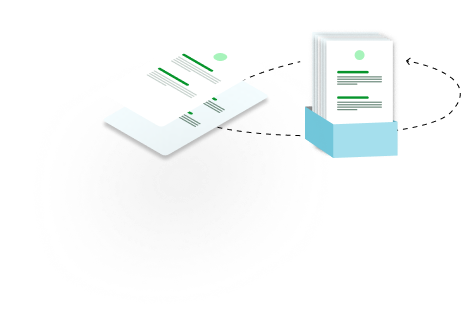
The Form2Doc, formerly Document Merge, is a feature that allows you to incorporate branding elements into Formplus HR form templates. This way, you can customize any of our form templates to align with the look and feel of your brand and ensure your brand perception and voice are the same for all your HR documents. The Form2Doc feature allows you to customize your PDF or docx responses attachment such that you can include your brand logo, name, and other useful information.
With this, you can create invoices, contract documents, or receipts with responses from your form, saving you the hassle of having to create a document for every response. With Form2Doc, a branded document is automatically generated for every response. Instead of manually adding your logo and brand colors, you can effortlessly infuse your branding elements into various HR materials, including offer letters, contracts, performance reviews, and more.

Voila, your HR forms are ready in no time. With Formplus Form2Doc, you can streamline your workflow and save valuable time that would have been spent creating a template from scratch. With a few clicks, you can send out documents consistent with your brand elements with minimal effort.
In the business world, brand consistency is not only a matter of look or feel/aesthetics. It is much more than that, as it has an indelible impact on the success of a company. This is key, especially for documents that are critical points of interaction between employees and your organization. For example, offer letters, leave forms, and payslips, to mention a few.
Let’s discuss some reasons why brand consistency in HR documents is important and explore some key examples:
Consistent branding across HR documents shows professionalism and builds trust. Employment contracts and offer letters should reflect logos, colors, and fonts. This shows employees that your organization values attention to detail. It also strengthens overall brand perception. This is especially important for new hires.
Imagine receiving an offer letter with attractive remuneration. The document contains no logo or brand elements. Such offers will raise red flags, as you’ll be able to believe that if this organization doesn’t pay any attention to details, what is the guarantee that you can believe that their offer is genuine?
HR documents are not just administrative forms; they are powerful tools that communicate company culture and values.
For example, Google’s brand identity is so strong because of the brand consistency and the way it is depicted in everything that emanates from it. Even from their branding, anyone can tell that the values and culture are admirable. Their brand colors evoke hoos and haas, evoking a feel of innovation and creativity, and their language invariably reflects the company’s core values. This consistency in their branding helps to create a cohesive and unified employee experience.
Examples of HR Documents Where Branding is Crucial:
As HR professionals, one thing you can all attest to is the number of man-hours expended on creating and editing documents to align with brand elements. Sometimes you’ll have to add logos and adjust fonts and colors manually to ensure consistency across all materials. With a large volume of HR documents to manage, this manual editing process can be extremely daunting, time-consuming, and inefficient.
Typos and errors are some of the challenges faced in the manual editing process. Sometimes forgetting to update a logo or font can cause branding inconsistencies. These inconsistencies can undermine the organization’s professionalism and credibility. They may also create confusion among employees.
Budget is a big deal in HR departments, and sometimes this constraint in terms of resources may make it difficult to outsource design work. So it becomes a struggle to create visually appealing HR documents that reflect your company’s brand.

This is where the Form2Doc comes to play. It is an intuitive feature used to create a seamless process of generating branded HR documents from form responses. With our intuitive drag-and-drop builder, you can create customized documents based in no time. This feature is so seamless to use with:
This Form2Doc feature has numerous advantages for professionals in the HR space, such as eliminating the need for efforts spent on repetitive tasks and allowing you to focus on more strategic functions in the HR space.
Effortless Consistency in branding across all HR documents is vital for projecting professionalism to employees and stakeholders alike. With Formplus Form2Doc, all HR materials, such as offer letters, contracts, and training materials, are branded consistently with logos, colors, and fonts. This consistency validates the company’s brand identity and enhances the overall employee experience and brand perception even for external partners.
With a document, you are sure of an error-free document, even if it does need any double-check, even when it’s created by an intern or newbie alike. This is because Form2Doc automates the document generation process, which ensures accuracy and consistency across all materials. With FoMergerge, you can be sure iis error-freeee each time, all the time.
Formplus Form2Docis designed to scale with the needs of the organization, so when you evolve from a start-up to a Fortune 500 company. Formplus Docuemerge can take care of your document generation needs without compromising on quality or efficiency.

Form2Doc does more than create documents. It ensures brand consistency across all HR document touchpoints. HR teams often face document creation challenges. They may lack resources to outsource design. They also spend significant time on manual editing. Manual processes increase the risk of errors.
With Form2Doc, your document creation process is automated, with extensive customization & a robust library of templates to choose from. The ease and convenience of the Fromplus document allows any form newbie or a professional to create forms.
Enjoy all of these features and infuse your company branding into HR documents.

Connect to Formplus, Get Started Now - It's Free!

You may also like:
The goal of every campaign is conversion (when people do what you want them to do – buy a product, subscribe to a newsletter, fill out a...
These days, user expectations from logistics and delivery systems are very high. From efficient supply chain systems to real-time...
The last thing you need as an NGO/NPO is not being able to receive or process the funds you labored for with multiple fundraising events...
This may not be the most exciting topic, but only 54% of Americans have life insurance — and many don’t know how it works. Think of it...